Why we built it
My daughter has type 1 diabetes. We wanted to stop opening a phone every five minutes just to check her glucose.
Home Assistant card
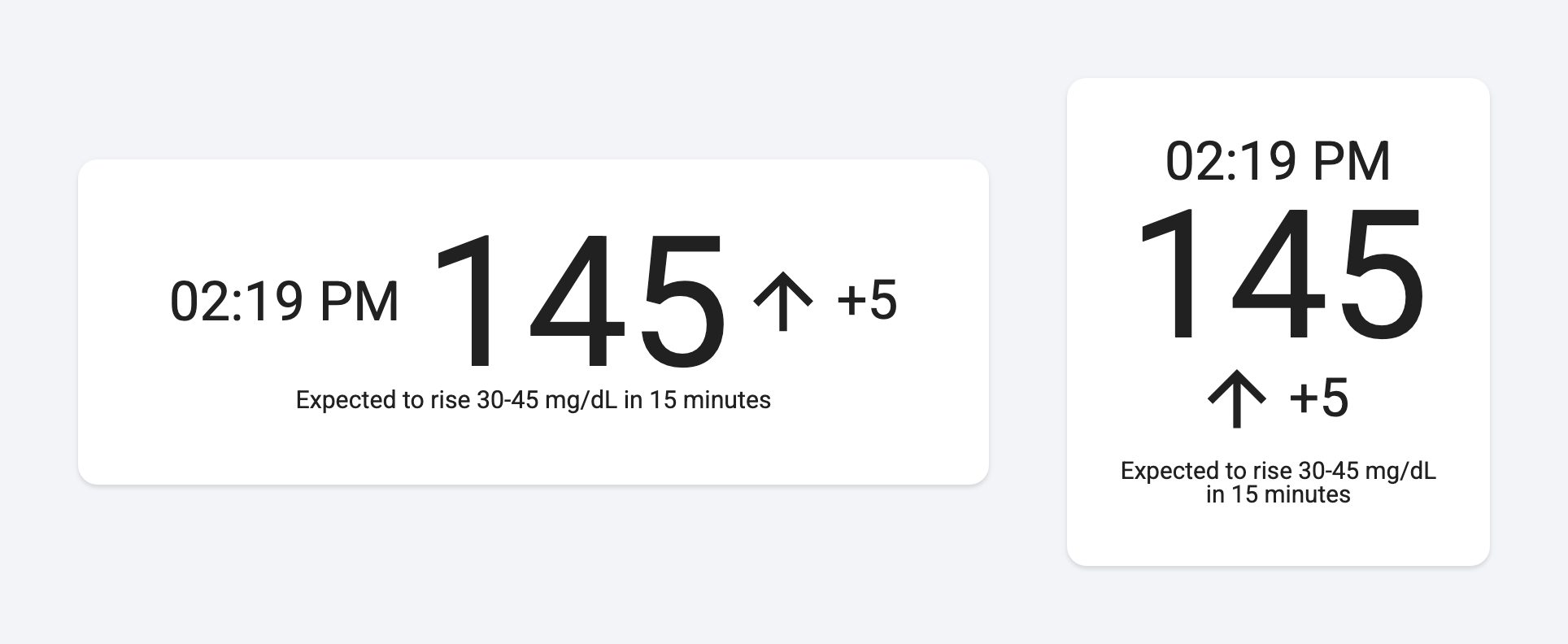
See your glucose reading, whether it is rising or falling, and when it last updated, right on your Home Assistant dashboard.
My daughter has type 1 diabetes. We wanted to stop opening a phone every five minutes just to check her glucose.
So we hung screens around the apartment. Checking her number is now no harder than glancing at a clock, and it takes a lot off my mind.
See the current reading, its direction and the change since the previous reading together.
The number turns orange when it’s high or low, and the whole card turns red when it’s urgent, so you notice from across the room. As a reading gets older, the card fades, so an old number never passes for a current one.
The card adapts to the space you give it: a row in a wide slot, a column in a tall or square one, with the number scaled to fill it.
SugarTV works with supported glucose sources already connected to Home Assistant, including Dexcom, Nightscout, Libre and Medtronic services. The setup guide lists supported connections.